
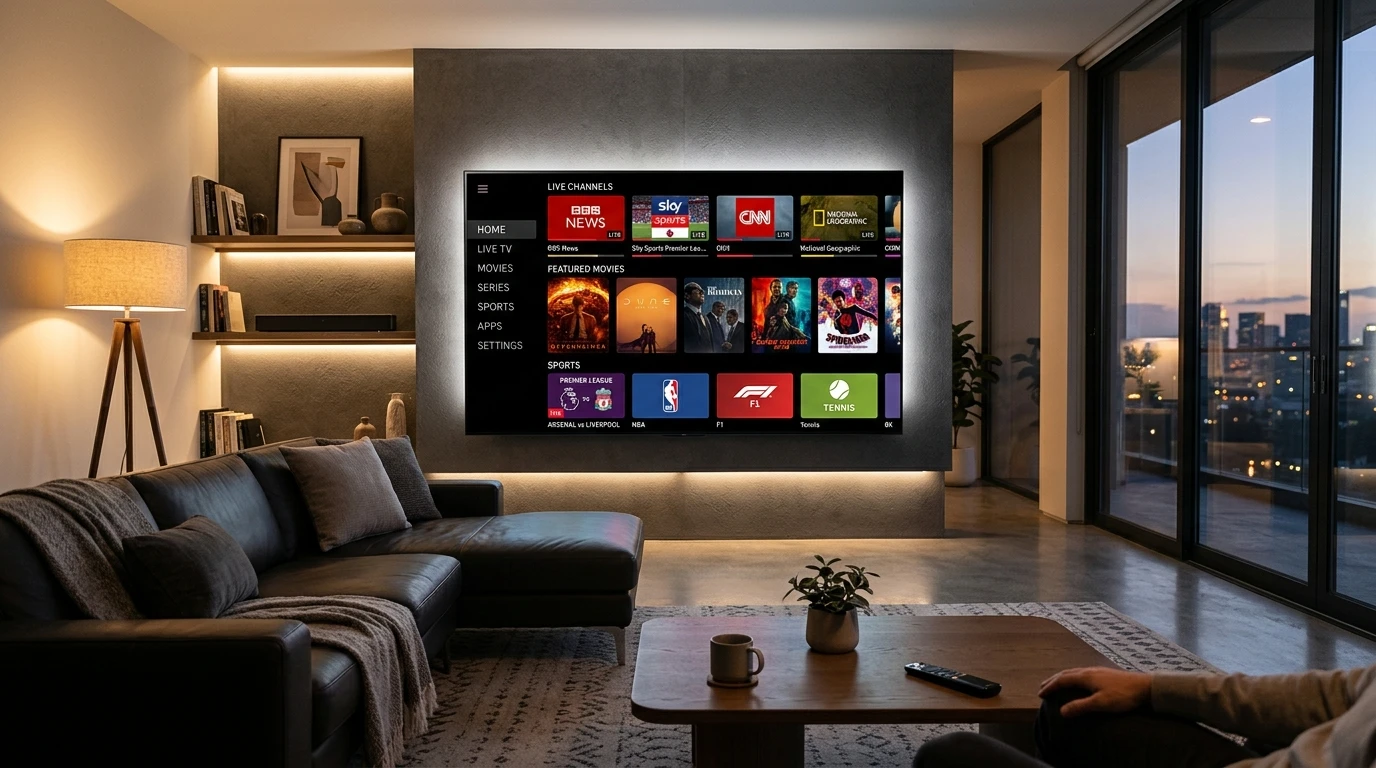
In recent years, television entertainment has undergone a massive digital revolution. Gone are the days when households were forced to pay bloated monthly bills for rigid cable subscriptions, deal with tangled coaxial cables, or mount unsightly satellite dishes on their rooftops. Today, the world streams via Internet Protocol Television (IPTV), and leading the modern charge is TVPIKOMA.
Whether you are a newcomer curious about cutting the cord or an experienced streamer looking for superior stream stability, this comprehensive guide will explain exactly what TVPIKOMA is and how it does work, how the underlying technology functions, why it delivers unmatched performance, and how you can set it up in just a couple of minutes.
Understanding the Concept of IPTV
IPTV stands for Internet Protocol Television. Unlike conventional terrestrial broadcasts, cable systems, or satellite signals that transmit content as continuous radio-frequency waves, IPTV transmits media using the standard Internet Protocol (IP)—the exact same high-speed network protocols that power YouTube, Netflix, and web browsing.
With traditional broadcast TV, all channels are transmitted simultaneously down a physical wire or through the airwaves, and your television tuner picks just one frequency to decode. With TVPIKOMA, however, media is streamed on-demand. When you click on a channel—for example, Sky Sports Main Event in 4K or HBO—a direct data packet stream is established between our high-speed European servers and your playback device. This modern architecture delivers countless benefits:
- Virtually Unlimited Channel Capacity: Because the server only delivers the channel you are actively watching, TVPIKOMA can host more than 150,000 live channels worldwide without running out of physical spectrum.
- Integrated Video on Demand (VOD): You do not need multiple standalone streaming apps. Over 120,000 blockbuster movies and binge-worthy TV series are integrated directly into the same interface.
- Device Agnostic: You are never locked into proprietary set-top boxes. TVPIKOMA works seamlessly on your Smart TV, Firestick, smartphone, tablet, and computer.
- Interactive Features: Take advantage of electronic program guides (EPG), multi-day TV replay (catch-up), multi-subtitles, and alternate audio tracks.
What Makes TVPIKOMA Different From Other IPTV Services?
The internet is filled with low-quality, unreliable IPTV resellers who overload their servers and leave subscribers with frozen screens right in the middle of a crucial football match or movie climax. TVPIKOMA was specifically engineered to solve these industry pain points.
"The core difference between generic IPTV and TVPIKOMA lies in our enterprise infrastructure. We deploy multi-gigabit European nodes and intelligent load balancers that dynamically distribute viewer traffic to ensure zero stuttering during global sports events."
Here are the key technological pillars that set TVPIKOMA apart:
1. Anti-Freeze Technology v8.4
Server freezing happens when thousands of users connect simultaneously to a single stream. TVPIKOMA utilizes proprietary anti-freeze clustering. Our system constantly monitors node health and automatically re-routes your data packets across redundant 10Gbps European relays in milliseconds, guaranteeing seamless playback even during peak championship finals.
2. Uncompressed 4K UHD and 60FPS Sports
Most providers downscale live sports to 720p or 25 frames per second to save bandwidth, causing footballs and race cars to look blurry and jittery. TVPIKOMA provides dedicated 50 and 60 FPS sports channels in Full HD and genuine 4K HDR, delivering crystal-clear motion that rivals direct stadium viewing.
3. Zero-Contract Prepaid Model
We believe in earning our customers' trust month after month. All TVPIKOMA subscriptions are 100% prepaid with no automatic recurring credit card deductions. When your subscription ends, you decide whether to renew—no strings attached.
How TVPIKOMA Operates: Behind the Scenes
When you place an order on our Packages & Prices page, our automated billing gateway securely processes the transaction and immediately activates your unique account credentials. You receive two primary connection methods:
The M3U Playlist URL
An M3U playlist is essentially a structured text file containing the streaming web addresses of every live channel, movie, and TV show included in your TVPIKOMA plan. When you paste this URL into players like VLC or GSE Smart IPTV, the player downloads the playlist and organizes channels into neat country and category folders.
The Xtream Codes API
For modern IPTV apps like TiviMate, IPTV Smarters Pro, and IBO Player, the Xtream Codes API is the gold standard. Instead of loading an enormous playlist file all at once, Xtream Codes communicates directly with the TVPIKOMA database using three simple parameters:
- Server URL / Portal URL: e.g.,
http://pikoma-tv.net:8080 - Username: Your private subscriber ID
- Password: Your encrypted account token
This method speeds up loading times, ensures faster channel zapping, and automatically updates channel lists and TV Guide schedules in real-time.
Comparing Traditional Cable vs. TVPIKOMA
| Feature | Traditional Cable Provider | TVPIKOMA Premium IPTV |
|---|---|---|
| Average Monthly Cost | $85 - $140 / month | $4.00 - $8.33 / month |
| Live TV Channels | 150 - 250 local channels | 150,000+ worldwide channels |
| PPV Sports & Events | $60 - $80 per single fight | Included at $0 extra cost |
| Hardware Requirements | Rented proprietary box ($15/mo) | Any Smart TV, Firestick, PC, phone |
| Contract Terms | 12 or 24-month lock-in contract | No contracts (100% prepaid) |
| Activation Time | 3 to 7 days for technician visit | Instant (1 to 5 minutes via email) |
Step-by-Step: How to Get Started With TVPIKOMA
Setting up TVPIKOMA is remarkably simple. You do not need any technical computer skills. Just follow these four easy steps:
- Select Your Plan: Visit our subscription packages and choose between 3 months, 6 months (+1 free), or 12 months (+3 free). If you have multiple televisions in your household, select a 2-screen or 3-screen Multi-Screen plan.
- Receive Your Login: Complete checkout and check your email inbox. Within 1 to 5 minutes, our automated provisioning system will send your personalized Xtream Codes and M3U credentials.
- Install a Recommended App: On your Smart TV or Amazon Firestick, download an application such as TiviMate, IPTV Smarters Pro, or IBO Player. Need help? Consult our detailed Installation Guide.
- Input Credentials & Stream: Open the app, enter your TVPIKOMA login information, click connect, and start browsing thousands of live channels and 4K cinema releases!
Frequently Asked Questions About TVPIKOMA
Do I need super-fast fiber internet to watch TVPIKOMA?
Not at all! While high-speed fiber is ideal, TVPIKOMA uses modern H.264 and H.265 (HEVC) compression algorithms. A standard internet connection of 15 Mbps is more than enough for Full HD streaming, and 25 to 30 Mbps easily supports 4K UHD broadcasts.
Can I take TVPIKOMA with me when traveling?
Yes! Because TVPIKOMA is internet-based, you can access your subscription from hotels, vacation homes, or on mobile data worldwide without geographic restrictions.
Experience TVPIKOMA Today
Ready to upgrade your home entertainment? Join thousands of happy subscribers and save over $1,000 every year with TVPIKOMA.
Get TVPIKOMA With 7-Day Money-Back GuaranteeRelated Articles You Might Like
Best TVPIKOMA Compatible Apps: TiviMate vs Smarters vs IBO
Detailed comparison of top player apps for Firestick and Smart TVs.
TVPIKOMA vs Cable: Save Over $1,200 Every Year
Learn how cord-cutting saves families hundreds of dollars every month.